
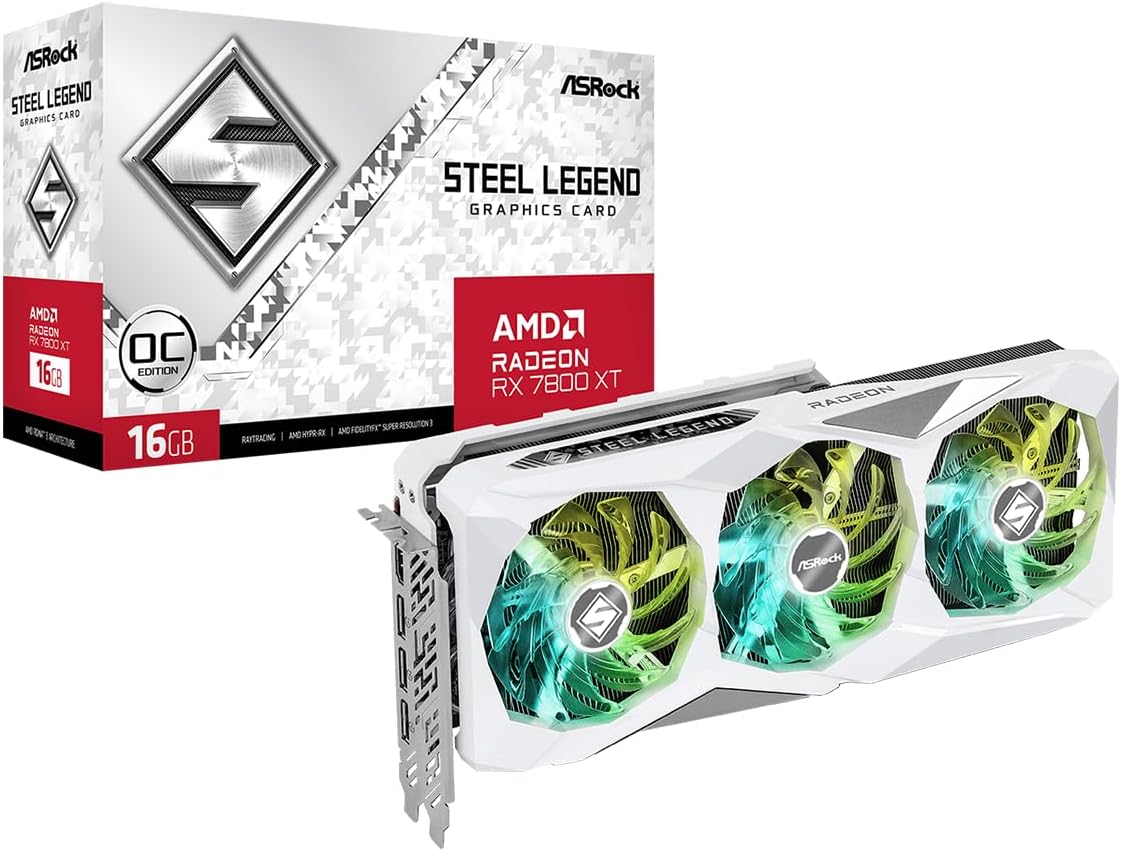
- Introduction
- RX 7800 XT Official Specs and TBP (Total Board Power)
- Real-World Power Consumption: Realistic Figures from Reviews
- Power Consumption Comparison: Rivals and Previous Generation Models
- Various Factors Influencing Power Consumption
- Power Efficiency (Watt Performance) and the Effect of Undervolting
- What Power Supply Unit (PSU) Capacity is Needed for the RX 7800 XT?
- Recommended RX 7800 XT Models (In Stock on Amazon Japan)
- Conclusion: How to Think About RX 7800 XT Power Consumption?
Introduction
The AMD Radeon RX 7800 XT is a graphics card highly popular among PC gamers, primarily targeting the 1440p resolution gaming space. It is often positioned as a model offering excellent cost-performance relative to competing products.
However, when building a new PC or upgrading an existing one, “power consumption” is an extremely important factor alongside the graphics card’s performance. Power consumption determines the required Power Supply Unit (PSU) capacity, impacts monthly electricity bills, affects the amount of heat generated within the PC case and the necessary cooling performance, and even influences the overall stability of the entire system.
This article focuses on the main keyword “rx7800xt power consumption” and provides a comprehensive explanation of the AMD Radeon RX 7800 XT’s power draw. We will cover everything from official specifications to real-world measured data from reliable review sites, comparisons with major rivals and previous generation models, guidance on selecting the appropriate PSU, optimizing power efficiency, and even recommendations for currently available models.
RX 7800 XT Official Specs and TBP (Total Board Power)
First, let’s confirm the basic positioning of the RX 7800 XT and its official power consumption specifications.
Key Specifications Overview
The RX 7800 XT employs AMD’s RDNA 3 architecture and is based on the Navi 32 GPU. While its main target is comfortable gaming at 1440p resolution, it can also handle 4K resolution depending on the settings. Another feature is its large 16GB GDDR6 memory capacity.
The most crucial official metric regarding power consumption is the Typical Board Power (TBP), which is set at 263W. TBP serves as an estimate of the power the entire graphics card is expected to consume under typical load conditions.
Furthermore, supplying power to a card of this class requires two standard 8-pin PCIe auxiliary power connectors.
AMD’s Official Recommended Power Supply Unit (PSU) Capacity
AMD officially recommends a minimum PSU capacity of 700W for systems using the RX 7800 XT.
However, this recommendation comes with important caveats. According to AMD, this 700W figure is based on calculations assuming the system is equipped with a high-power-consumption, high-end CPU like the AMD Ryzen 9 7950X, while also considering the typical power demands of other system components.
This suggests that AMD’s 700W recommendation leans heavily towards providing ample headroom or is based on a high-load configuration as a safety measure. Manufacturers tend to provide conservative figures to ensure stable operation across various user environments (CPU type, PSU quality, overclocking presence, etc.).
As discussed later, real-world reviews and user reports indicate that when paired with more common mid-range CPUs or when using a high-quality PSU, stable operation is highly likely even with capacities below 700W. Therefore, it’s more appropriate to view 700W not as an absolute minimum requirement, but rather as a guideline intended to cover all possible scenarios.
Real-World Power Consumption: Realistic Figures from Reviews
The official TBP is merely a guideline; actual power consumption varies significantly depending on how the PC is used. To understand power draw in specific scenarios like idle, video playback, and gaming, data from independent review sites using specialized measurement equipment is extremely valuable. Here, we’ll examine the realistic power consumption of the RX 7800 XT based on measurements from reputable review sources like TechPowerUp.
Detailed Power Consumption Breakdown
- Idle: Approximately 11-12W. This figure represents the power draw when simply displaying the Windows desktop (single monitor, 2560×1440 resolution). Note that power consumption tends to increase in multi-monitor idle situations.
- Video Playback: Approximately 17-18W. This is the value measured when playing back H.264 format 4K video. Modern GPUs have highly efficient video decoding capabilities, allowing high-resolution video playback at low power consumption. The RDNA 3 architecture features an updated media engine, supporting hardware encoding and decoding for the latest AV1 codec.
- Average Gaming: Approximately 260W. This is the average value recorded while playing “Cyberpunk 2077” at 4K resolution with maximum settings (Ray Tracing disabled). This value is remarkably close to the official TBP of 263W, indicating that TBP serves as a good indicator of power consumption during demanding gameplay. Custom models may draw slightly more, with some reviews measuring averages around 270-280W under load.
- Near-Max Gaming Load: While the average is around 260W, particularly demanding scenes or game titles can temporarily push power consumption higher, potentially reaching levels close to the Furmark value mentioned below.
- Max Load (Benchmark Software – Furmark): Approximately 283W. Stress testing software like Furmark intentionally places extreme load on the GPU, resulting in higher power consumption than typical gaming. This value often indicates the GPU hitting its power limit.
- Peak Power Spikes: Approximately 309W. GPUs can draw significantly higher power than their average consumption for very short durations (milliseconds). These are known as power spikes. While PSU “capacity” is chosen based on average consumption, lower-quality or undersized PSUs may fail to handle these instantaneous power demands, potentially triggering protection circuits and causing the PC to shut down.
The following table summarizes these measured values.
Table 1: RX 7800 XT Measured Power Consumption Summary
| Scenario | Approx. Power Consumption (W) |
| Idle | ~12W |
| Multi-Monitor Idle | Higher than Idle |
| Video Playback | ~18W |
| Average Gaming | ~260W |
| Max Load (Furmark) | ~283W |
| Peak Spike | ~309W |
As this table shows, the RX 7800 XT’s power consumption varies greatly depending on the situation. It’s important to consider these figures based on your PC usage patterns. The significant difference between average gaming load (~260W) and peak spikes (~309W) highlights why PSU quality, specifically its ability to handle transient loads, is crucial for stability.
Power Consumption Comparison: Rivals and Previous Generation Models
Evaluating the RX 7800 XT’s power consumption necessitates comparison with competing products and previous generation models. Here, we’ll examine how its power draw differs from key competitors like the NVIDIA GeForce RTX 4070 and RTX 4070 Super, and its predecessor, the AMD Radeon RX 6800 XT.
Official Power Metrics (TBP/TGP) Comparison
First, let’s compare the official power metrics for each model:
- RX 7800 XT: 263W TBP
- RTX 4070: 200W TGP (Total Graphics Power – NVIDIA’s equivalent metric)
- RTX 4070 Super: 220W TGP
- RX 6800 XT: 300W TBP
Measured Gaming Power Consumption Comparison
Next, we compare the average power consumption during actual gameplay:
- RX 7800 XT: Approximately 250-260W
- RTX 4070: Approximately 200W
- RTX 4070 Super: Approximately 220W
- RX 6800 XT: Approximately 300W (Estimated from TBP, measured values tend to be close to TBP)
Analysis and Insights
Comparing these figures reveals several important points.
Firstly, the RX 7800 XT shows a significant improvement in power consumption compared to the previous generation RX 6800 XT. There’s a reduction of about 40W in TBP and a similar decrease observed in actual gaming loads. This can be attributed to the benefits of the RDNA 3 architecture and the newer manufacturing process.
Secondly, when compared to its direct performance competitors from NVIDIA:
- vs. RTX 4070: The RX 7800 XT consumes about 50-60W more power while offering similar or slightly better rasterization performance.
- vs. RTX 4070 Super: The RX 7800 XT consumes about 40W more power (263W vs 220W TGP). Performance-wise, they trade blows in rasterization, with the 4070 Super often having a slight edge overall, especially at higher resolutions or with ray tracing enabled. The RX 7800 XT offers more VRAM (16GB vs 12GB), which could be beneficial in future titles.
This power consumption difference is a critical factor. The NVIDIA cards (especially the 4070 Super) are demonstrably more power-efficient. The higher power draw of the RX 7800 XT translates to increased heat generation, potentially requiring more robust cooling, and could lead to higher long-term running costs, particularly in areas with high electricity prices.
Therefore, the choice between the RX 7800 XT and its NVIDIA counterparts (like the RTX 4070 Super) involves weighing initial price, rasterization performance, VRAM capacity, ray tracing performance, and the operational impacts of power efficiency (heat, noise, running costs).
The table below compares the power consumption and relative performance estimates of these key models.
Table 2: RX 7800 XT vs. Key Rivals Power Consumption Comparison
| Model | Official Power Metric (TBP/TGP) (W) | Measured Gaming Power (Approx.) (W) | Relative 1440p Performance (Approx. Raster) | VRAM |
| AMD Radeon RX 7800 XT | 263 (TBP) | ~260 | Baseline | 16GB |
| NVIDIA GeForce RTX 4070 | 200 (TGP) | ~200 | Similar / Slightly Lower | 12GB |
| NVIDIA GeForce RTX 4070 Super | 220 (TGP) | ~220 | Similar / Slightly Higher | 12GB |
| AMD Radeon RX 6800 XT | 300 (TBP) | ~300 | Slightly Lower | 16GB |
This comparison highlights the RX 7800 XT’s generational efficiency gain over the RX 6800 XT but also its efficiency deficit compared to contemporary NVIDIA offerings, positioning it in a complex spot regarding power usage versus performance.
Various Factors Influencing Power Consumption
A graphics card’s power consumption varies not only based on the card’s specifications but also due to several other factors. Understanding these key factors is helpful for power management and troubleshooting.
Workload Intensity
- Game Titles and Settings: The load placed on the GPU differs significantly between games. Naturally, increasing graphics settings (e.g., Ultra vs. Medium), enabling demanding features like Ray Tracing, or rendering complex scenes increases the demands on the GPU, leading to higher power consumption.
- Resolution: Rendering at higher resolutions (e.g., 4K > 1440p > 1080p) requires the GPU to process more pixels, increasing the workload and consequently, power consumption.
System Configuration
- Paired CPU: While the GPU consumes the most power during gaming, high-performance CPUs also draw considerable power. This impacts the total system power consumption and is a crucial factor in PSU selection. Additionally, if the CPU becomes a bottleneck (its processing power limits the GPU’s performance), the GPU might not be able to operate at its full potential, which can result in lower GPU power consumption.
- Power Supply Unit (PSU) Quality and Efficiency: High-efficiency PSUs (e.g., 80 PLUS Gold or Platinum certified) waste less energy (dissipated as heat) during the AC-to-DC conversion compared to lower-efficiency PSUs (e.g., Bronze certified). While this doesn’t change the GPU’s own power draw, it reduces the power pulled from the wall outlet (which affects electricity bills). More importantly, PSU quality impacts voltage stability and ripple noise suppression (minor voltage fluctuations). A high-quality PSU is essential, particularly for handling the GPU’s power spikes reliably.
GPU Model Variations
- Custom AIB vs. Reference Models (Custom AIB vs. Reference Models): Custom models manufactured by Add-In Board (AIB) partners like ASUS, Sapphire, PowerColor, and ASRock often feature factory overclocks, higher power limits set in their VBIOS (GPU’s basic settings), and more robust cooling solutions compared to AMD’s own reference design (MBA – Made By AMD).
- Impact: These custom models, especially overclocked ones, may exhibit slightly higher power consumption than the reference model’s nominal TBP (263W) or measured average gaming power (~260W) due to increased clock frequencies or relaxed power limits. For instance, one review measured the PowerColor Hellhound model’s average gaming power consumption at 273W, slightly higher than reference. However, these custom models typically come equipped with superior cooling solutions, allowing them to handle the increased heat efficiently and often operate more quietly as a result. Therefore, while choosing a high-performance custom model might mean slightly higher power draw than the baseline reference, this difference is usually well-managed by the enhanced cooling.
Power Efficiency (Watt Performance) and the Effect of Undervolting
Beyond the absolute power consumption value, “power efficiency”—performance delivered per watt consumed (watt performance)—is also a critical evaluation metric.
Definition of Power Efficiency (Watt Performance)
Power efficiency indicates how much performance can be achieved per watt of power consumed. It’s typically evaluated using metrics like frame rate per watt (FPS/Watt) in games or benchmark score per watt (Points/Watt).
Higher power efficiency means achieving the same performance with less power, or delivering higher performance for the same amount of power. This ultimately leads to reduced heat generation, lower noise levels, and decreased running costs.
RX 7800 XT’s Power Efficiency in Standard State
- vs. RX 6800 XT: Overall efficiency has improved. The RX 7800 XT delivers performance comparable to or better than the RX 6800 XT while consuming about 40-50W less power.
- vs. RTX 4070 / 4070 Super: It lags in efficiency at stock settings. The RTX 4070 (200W TGP) and 4070 Super (220W TGP) achieve similar or better rasterization performance while consuming significantly less power (40-60W less than the 7800 XT’s 263W TBP).
While the RDNA 3 architecture improved power efficiency over RDNA 2, a gap remains compared to NVIDIA’s Ada Lovelace architecture at standard settings. The fact that the RX 7800 XT consumes significantly more power than its direct NVIDIA competitors to achieve similar performance suggests AMD may have prioritized hitting performance targets by opting for higher clock frequencies and voltages, rather than the most efficient operating point.
The potential for significant power reduction through undervolting (discussed next) further supports the idea that the standard configuration prioritizes performance over efficiency. This contrasts with NVIDIA’s design philosophy for Ada Lovelace, which placed a heavy emphasis on maximizing performance per watt.
Undervolting: The Path to Improved Power Efficiency
The power efficiency of the RX 7800 XT can potentially be improved by the user through a process called “undervolting.”
- What is Undervolting? It involves setting the voltage required for the GPU core to operate at a specific frequency lower than the standard setting. Manufacturers often set default voltages with a margin for stability, meaning the chip can often run stably at lower voltages. Lowering the voltage significantly reduces power consumption and heat generation. In many cases, these benefits can be obtained with little to no performance loss.
- Research/Report Examples:
- Techtesters demonstrated that by undervolting and power-limiting a Gigabyte RX 7800 XT Gaming OC to consume around 200W (down from ~286W stock for that model), its performance nearly matched a stock RTX 4070 (which also consumes ~200W), with only an approximate 9% performance decrease compared to the stock RX 7800 XT. This also resulted in quieter operation and lower temperatures.
- A Reddit user testing an ASRock RX 7800 XT Steel Legend OC reported achieving a 38% improvement in efficiency (points per watt in 3DMark Solar Bay) by tuning clock speed and voltage. Their optimal setting (1900 MHz target clock) resulted in only an 11.4% performance drop compared to stock, while reducing power consumption by approximately 36% (from 276W stock to 177W tuned).
- Pros and Cons: Undervolting offers the potential for significant reductions in power consumption, heat, and noise. However, it requires the user to adjust settings using tools like AMD Adrenalin Software and perform stability testing. Finding the optimal settings involves trial and error, and sometimes requires accepting a slight performance decrease. Nevertheless, the benefits can be substantial, making it a worthwhile technique for users particularly focused on power efficiency. Undervolting can effectively bridge the efficiency gap with competitors like the RTX 4070, albeit requiring user intervention.
What Power Supply Unit (PSU) Capacity is Needed for the RX 7800 XT?
Choosing a PSU with the appropriate capacity and quality is essential for stable operation of the RX 7800 XT.
Revisiting AMD’s 700W Recommendation
First, recall that AMD’s official minimum recommended capacity is 700W, and this assumes pairing with a high-end CPU (Ryzen 9 7950X).
Practical Recommended Capacities Based on System Configuration (CPU Classes)
In reality, many users and PSU manufacturers suggest more specific recommendations based on the paired CPU:
- Intel Core i5 / AMD Ryzen 5 Class: According to many sources and user reports, a good quality 650W PSU is often considered sufficient. This aligns with the recommendation for the slightly less power-hungry RTX 4070 Super (220W TGP).
- Intel Core i7 / AMD Ryzen 7 Class: While 650W might work, choosing a 750W PSU provides more peace of mind, especially if using overclockable CPUs (K-series or X-series) or planning for future upgrades.
- Intel Core i9 / AMD Ryzen 9 / HEDT Class: When pairing with CPUs in this category, consider 750W as the minimum baseline, aligning closer to AMD’s recommendation. 850W or higher is recommended to ensure ample margin.
Thus, while AMD’s official recommendation serves as a safe guideline, the recommendations from the community and PSU manufacturers (often in the 650W to 750W range for typical gaming builds) tend to be more practical benchmarks. This difference arises because AMD’s figure is based on power-hungry high-end CPUs, whereas many users employ mid-range CPUs, and the practical recommendations reflect PSU maker calculations and real-world user stability reports.
A rough calculation illustrates this: GPU peak power (~310W) + mid-range CPU peak power (~100-150W) + other system components (~50W) totals around 510-550W. A 650W PSU would still provide over 100W of headroom in this scenario. Therefore, selecting a PSU capacity tailored to your system configuration, particularly your CPU choice, is crucial for balancing cost and stability.
Beyond Wattage: The Importance of PSU Quality
When selecting a PSU, its quality is just as critical as its wattage capacity. A high-quality PSU from a reputable manufacturer is indispensable, especially for handling the GPU’s power spikes.
The 80 PLUS certification indicates power conversion efficiency (Bronze is a minimum baseline, Gold or higher is often recommended), with higher efficiency leading to less heat and lower electricity costs. However, it doesn’t necessarily guarantee the quality of the PSU’s internal components, voltage stability, or its responsiveness to power spikes. Consulting reliable reviews to choose a well-regarded model is important.
Ensure the PSU has the two independent 8-pin PCIe auxiliary power connectors required by the RX 7800 XT. For stability under high load, using separate cables for each connector is recommended, rather than using connectors daisy-chained from a single cable.
Considering Headroom
Providing headroom in your PSU capacity (choosing a wattage higher than the calculated minimum) offers several advantages. A PSU operating well below its maximum capacity generates less heat, allowing the fan to spin slower, resulting in quieter operation. Many PSUs achieve their peak conversion efficiency around 50% load. Additionally, headroom provides flexibility for future component upgrades and ensures more stable handling of unexpected power spikes.
The following table summarizes the recommended PSU wattage guidelines based on CPU class.
Table 3: Recommended PSU Wattage for RX 7800 XT by CPU Class (Approx.)
| CPU Class | Recommended Minimum Wattage (Approx. W) | Recommended Wattage with Headroom (W) |
| Intel Core i5 / AMD Ryzen 5 | 650W | 750W |
| Intel Core i7 / AMD Ryzen 7 | 650W – 750W | 750W – 850W |
| Intel Core i9 / AMD Ryzen 9 / HEDT | 750W | 850W+ |
Recommended RX 7800 XT Models (In Stock on Amazon Japan)
Graphics cards featuring the RX 7800 XT are available from various manufacturers as custom models. Here are a few recommended models confirmed to be in stock on Amazon Japan as of the time of research (April 29, 2025).
Note: Stock status and prices are constantly changing. Please check the Amazon product page for the latest information before purchasing.
1. Kuroutoshikou Radeon RX 7800 XT 16GB (RD-RX7800XT-E16GB/DF)
- Features: A relatively simple dual-fan configuration model from the Japanese brand “Kuroutoshikou.” Suitable for those prioritizing cost-performance or seeking standard performance.
- Price Estimate: Approx. ¥74,973 (as of Apr 29, 2025)
- Stock Status: In Stock (as of Apr 29, 2025)
2. SAPPHIRE PULSE Radeon RX 7800 XT GAMING 16GB (11330-02-20G)
- Features: From SAPPHIRE, a major AMD Radeon partner, this is part of their popular “PULSE” series. Also a dual-fan design, its relatively compact size (approx. 280mm length) makes it easier to consider for smaller PC cases. Well-regarded for its balance of reliability and performance.
- Price Estimate: Approx. ¥88,393 (as of Apr 29, 2025)
- Stock Status: In Stock (Low Stock) (as of Apr 29, 2025)
3. GIGABYTE Radeon RX 7800 XT Gaming OC 16G (GV-R78XTGAMING OC-16GD)
- Features: An overclocked (OC) model featuring GIGABYTE’s proprietary “WINDFORCE” cooling system with a triple-fan configuration. Expect better cooling performance and slightly higher performance than standard models.
- Price Estimate: Approx. ¥89,980 (as of Apr 29, 2025)
- Stock Status: In Stock (as of Apr 29, 2025)
4. SAPPHIRE NITRO+ Radeon RX 7800 XT GAMING OC 16GB (11330-01-20G)
- Features: A model from SAPPHIRE’s high-end “NITRO+” series. It employs a powerful triple-fan cooling mechanism and high-quality components, aiming for both high overclocking performance and quiet operation. Recommended for users seeking higher performance and low noise levels.
- Price Estimate: Approx. ¥90,707 (as of Apr 29, 2025) (Note: Other retailers like Tsukumo/XPRICE list around ¥89,800)
- Stock Status: In Stock (Low Stock) (as of Apr 29, 2025)
Besides these models, RX 7800 XT cards are also available from various other manufacturers like ASRock, PowerColor, YESTON, etc. Compare models based on design, cooling performance, warranty period, and price to choose the one that best suits your needs.
Conclusion: How to Think About RX 7800 XT Power Consumption?
Finally, let’s summarize the key points regarding the RX 7800 XT’s power consumption and selection.
Summary of Key Findings
- The official TBP is 263W, which aligns well with the measured average gaming power consumption (around 260W).
- Power consumption has significantly improved compared to the previous generation RX 6800 XT (TBP 300W).
- However, compared to direct competitors like the NVIDIA RTX 4070 (TGP 200W) and RTX 4070 Super (TGP 220W), it consumes considerably more power (40-60W higher TBP) while delivering similar or slightly better rasterization performance.
- Power consumption varies greatly depending on the load: idle (~12W), video playback (~18W), gaming (~260W), stress tests (~283W).
- Instantaneous power spikes (around 309W) necessitate a high-quality PSU.
- Stock power efficiency is decent but falls short of NVIDIA’s Ada Lovelace competitors like the RTX 4070 Super.
- Undervolting offers significant potential to drastically improve power efficiency (potentially matching RTX 4070 levels) with minimal performance loss, reducing heat and noise.
- Multiple RX 7800 XT models from various manufacturers are currently available on Amazon Japan (stock/price confirmation required as of late April 2025).
Final Advice on PSU Selection
When choosing a PSU, consider the power consumption of the entire system, including the CPU, not just the GPU. Select a high-quality product with adequate capacity. For the RX 7800 XT, depending on the paired CPU, a range of 650W to 750W or more is generally recommended. It’s crucial to make a choice tailored to your specific configuration rather than blindly adhering to the GPU manufacturer’s minimum recommendation.
Final Perspective
The RX 7800 XT’s power consumption is a key characteristic to consider alongside its strong 1440p gaming performance, generous 16GB of VRAM, and often more affordable pricing compared to competitors like the RTX 4070 Super. While it may not be the most power-efficient card on the market, its power draw is certainly manageable, and it shows improvement over the previous generation.
Furthermore, there is significant room for users to enhance efficiency through tuning (undervolting). The final decision will depend on the individual user’s priorities, balancing performance, features (including ray tracing and upscaling technologies like DLSS vs FSR), VRAM capacity, price, power efficiency, and running costs.

コメント